Saturday, March 14, 2026

Simple compression made for a slightly longer string length

 Continued from last post: (Prompts)

What will happen if I let the string length be larger like 255 instead of 7 and I also run length encode repetitions of codes in one node in the bst

I want you to critique a technique I am thinking of where LZ77 is modified by referring to future encountered strings in a second pass which reorders the indexes so that larger lengths of text are matched..

The technique you are describing is a fascinating hybrid of LZ77 (Dictionary coding) and Global Optimization. In the compression world, this is often referred to as "Optimal Parsing" or "Look-ahead Matching," and when you involve reordering, you are touching on "Block Sorting."

Here is a critique of your proposed technique, broken down by its theoretical advantages and practical "bottlenecks."


1. The "Permutation" Tax (The Biggest Hurdle)

The most critical part of your idea is the "reordering of indexes."

  • The Problem: If you reorder the source text to bring similar strings closer together (to get those longer LZ77 matches), the decoder no longer knows the original order of the characters.

  • The Cost: As we saw in our previous discussion about Lehmer codes, the "map" required to restore the original order is often larger than the space you saved by finding longer matches.

  • Critique: For this to be effective, the gain in match length must be greater than the bits required to encode the permutation. In most natural data (text, code), the cost of the permutation usually wipes out the compression gains unless the data is extremely repetitive.

2. Connection to the Burrows-Wheeler Transform (BWT)

Your idea of "reordering to find better matches" is essentially what the BWT (used in bzip2) does.

  • How BWT does it: It reorders the entire string alphabetically based on its suffixes. This clusters similar characters together.

  • The "Magic": The BWT is reversible with only one integer index (the "primary index"), rather than a full Lehmer-style permutation map.

  • Critique: If your goal is to reorder data for better compression, BWT is the "gold standard" because it avoids the Lehmer code overhead. If your technique requires a full index map, it will likely lose to BWT.

3. "Optimal Parsing" vs. "Greedy Parsing"

Standard LZ77 is "Greedy." It takes the longest match it sees right now. However, taking a 10-byte match now might prevent you from taking two 8-byte matches later.

  • Your "Second Pass": By looking at "future encountered strings," you are performing Optimal Parsing.

  • Existing Implementations: Algorithms like LZMA (7-Zip) and Zstandard use this. They use a "flexible" or "optimal" parser that looks ahead several steps to decide which match sequence results in the fewest total bits.

  • Critique: This is a proven, highly effective technique. The "future pass" allows you to build a cost-graph and find the shortest path (in bits) to encode the file. It increases compression time significantly but improves the ratio.

4. Non-Causal Dependencies (The Circularity Problem)

LZ77 is usually "causal"—the decoder only needs what it has already seen to decode what is coming next.

  • The Technique: If you refer to "future" strings in a way that the decoder hasn't reached yet, the decoder cannot start work until it has the entire future block in memory.

  • Critique: This turns a "Streaming" algorithm into a "Block" algorithm. This is fine for file compression (like .7z), but it makes the technique unusable for real-time applications (like video streaming or network protocols) where you can't wait for the "future" to arrive.

5. Dictionary Pre-Sorting

If by "reordering," you mean keeping the original text as-is but reordering how the dictionary is searched, you are onto a very strong technique.

  • Static Dictionaries: Some modern compressors look at the "future" of a dataset (or a training set), identify the most common long strings, and put them into a "Static Dictionary" that is sent before the actual data.

  • Critique: This is very effective for small messages. If you know the "future" involves many repetitions of "UserLoginRequest," putting that at the front of the index allows for 1-byte matches throughout the rest of the stream.


Summary Recommendation

Your idea is moving toward "Optimal Parsing" and "Block Sorting." To make it work:

  1. Don't reorder the text physically unless you use a transform like BWT. Storing the "reordering map" (the permutation) is almost always too expensive for files larger than a few dozen bytes.

  2. Use the "Future Pass" for decision making. Use the second pass to look at the entire file and decide: "Should I use a match here, or save this string to be a reference for a much larger match later?"

  3. Entropy Coding of Matches: If you find very long matches by looking ahead, ensure you use Arithmetic Coding or Finite State Entropy (FSE) to encode the match lengths and offsets. Long matches are rare, so they should be encoded with very few bits when they do occur.

In short: You've independently identified the core logic behind LZMA/7-Zip. The secret to its success isn't just finding the matches, but using that "second pass" to calculate the mathematically perfect combination of matches to minimize the bit-stream.


Simple Compression close to Kolmogorov complexity

 Prompt: I am working on a low level coding task where the task is to encode and decode a string. I want python code for encoding a string by first sorting the characters alphabetically while remembering position of each character and encoding it using lehmers code. The decoder will encode the character codes differentially line original array => 231 , 3 , 45 , 0 , 23 , 32 , 78 sorted array=>0,3,23,32,45,78,231.. sent as the permutation rank and another array encoding of 32, 29, 46, 3 , 20, 33, 153 where the sorted numbers are send in preorder where the first 32 is encoded as 8 bit, second 29 encodes 3 using 6 bits.. I want the bit stream encoder and decoder.

Code generated is pushed to github

Comparing this custom method to standard lossless compression utilities (like Gzip (DEFLATE), Zstandard, LZMA, or Brotli) reveals a classic trade-off between Generality and Domain-Specific Optimization.

Here is how your method stacks up:

1. The "Tiny Data" Advantage (Winning)

General-purpose compressors (Gzip, Zstandard) are designed for files, not individual 7-character strings.

  • Overhead/Headers: Gzip has a minimum header size of about 10–18 bytes. Even an "empty" Gzip file is larger than your entire 7-byte encoded string.

  • Dictionary Building: Algorithms like LZ77 need a "sliding window" to find repetitions. In a 7-character string, there is almost no repetition to find.

  • Result: For ultra-short, fixed-length metadata (like a 64-bit packet header in a radio protocol), your method will significantly outperform Gzip/Zstd.

2. Information Theory & Entropy (The Limit)

Your method is essentially a form of Structural Encoding. You aren't just compressing "data"; you are compressing the mathematical properties of a permutation.

  • Permutation: There are

            n!
          
    ways to arrange characters. For n
          
          
    . To identify one specific arrangement, you need
            l
          
    bits. Your Lehmer code uses 14 bits (because it uses integer bit-boundaries for each coefficient). This is nearly 90% efficient compared to the theoretical limit.

  • Values: By using the BST range restriction, you are performing a version of Arithmetic Coding without the floating-point complexity. You use the "known universe" of the parent node to reduce the entropy of the child node.

3. Scaling (Losing)

This is where general-purpose utilities take the lead as the input grows.

  • The Lehmer Trap: As the string length

            N
          
    increases, the Lehmer code becomes computationally expensive to calculate (
            O(N2)
          
    or
            O(NlogN)
          
    with Fenwick trees). More importantly, it doesn't account for patterns.

  • Redundancy: If your string is "AAAAAAAA", a general compressor sees a "run" and compresses it to almost nothing using RLE or LZ77. Your method would still calculate a full Lehmer code and a BST, which is overkill for redundant data.

  • Alphabet size: General compressors use Huffman or FSE (Finite State Entropy) to map frequent characters (like 'e' or 't') to shorter bit-sequences. Your method treats all characters (0-255) as equally likely unless the BST range happens to narrow down.

4. Comparison Summary Table

FeatureYour Custom MethodGzip / Zstd / LZMA
Smallest UnitBits (can be exactly 56 bits)Bytes (usually min 20+ bytes)
Header OverheadZero (if length is fixed)High (10–100+ bytes)
Sorted DataExtremely efficient (BST Delta)Moderate (Standard Delta)
Repetitive DataPoor (No dictionary)Excellent (LZ77)
ScalingPoor (Lehmer grows fast)Excellent
ComplexityHigh logic, low memoryLow logic, high memory

When to use your method?

Your approach is a "Low-Level Serialization" technique rather than a "Compression Utility." Use it when:

  1. Strict Bandwidth Constraints: You are sending data over LoRa, Satellite, or CAN bus where every single bit costs money or power.

  2. Known Structure: You know the data is always exactly

            NN
          
    characters and usually contains distinct values.

  3. No Storage for Libraries: You are on an Arduino or an FPGA where you cannot afford the memory footprint of the Zstandard library.

Final Verdict

If you try to compress a 1MB text file with this, it will be much slower and likely produce a larger file than Gzip. However, for a 7-byte identifier, your method is near the theoretical "Kolmogorov Complexity" limit, and standard utilities cannot touch it.

Wednesday, March 4, 2026

Finding average of column values(Program Outcomes) in an excel macro using VBA

 Suppose you have a sheet with following data:


I wanted to generate average of each column to find the learning gap in subjects offered by our university.

Here is the macro that gets triggered upon single click of any cell.

You can cancel inputting the number and say ok.

Otherwise if you want to calculate the columnar average of each POs.. in this macro it takes how many 

rows you need to consider starting from the cell clicked.

It calculates the average and stores it at the end of the sheet after all the rows.

When C3 is clicked this is the state:


after entering 5 the number of rows in this table..

It calculates and stores average in below column:


It has calculated the averages here.
This is the macro code:
' starts off with selection change which triggers when single click on any other cell.
Private Sub Worksheet_SelectionChange(ByVal Target As Range)
    If Target.Cells.Count = 1 Then
        Dim userInput As String
        Dim clickedCellAddress As String
        
        ' Get the address of the clicked cell
        clickedCellAddress = Target.Address(False, False) ' Use False, False for relative address (e.g., A1)
        
        Call AverageWithInputRows(clickedCellAddress)
    End If
End Sub


' averagewithinputrows is calculating the average after taking the clicked cell address
' as input
Sub AverageWithInputRows(ByVal clickedCellAddress As String)
    Dim sel As Range
    Dim col As Range
    Dim numRows As Variant
    Dim startRow As Long
    Dim targetRange As Range
    Dim colAvg As Double
    Dim lastRow As Long

    ' 1. Explicitly capture the selected range
    Set sel = Range(clickedCellAddress).Resize(1, 12)
    
    ' 2. Get the row from the top-left cell of your selection
    startRow = sel.Cells(1, 1).Row

    ' 3. Prompt for the count
    numRows = InputBox("Rows to average starting from Row " & startRow & ":")
    If Not IsNumeric(numRows) Or numRows = "" Then Exit Sub

    ' 4. Loop through each column in the selection
    For Each col In sel.Columns
        
        ' Define the range for THIS specific column in the loop
        Set targetRange = ActiveSheet.Cells(startRow, col.Column).Resize(CInt(numRows))

        ' 5. Calculate Average
        On Error Resume Next
        colAvg = Application.WorksheetFunction.Average(targetRange)
        
        If Err.Number = 0 Then
            ' 6. Paste at the bottom of THIS column
            lastRow = ActiveSheet.Cells(Rows.Count, col.Column).End(xlUp).Row
            With ActiveSheet.Cells(lastRow + 1, col.Column)
                .Value = colAvg
                .Font.Bold = True
                .Interior.Color = RGB(220, 230, 241) ' Light Blue highlight
            End With
        End If
        On Error GoTo 0
    Next col
End Sub

Saturday, February 14, 2026

Data Harvesting Techniques

 Question: What do you think are the various techniques that hardware manufacturers use to get data or information from users legally to scan their data to find what they are trying to do and how much they have advanced in their goal? Alternatively how do illegal schemes to harvest data of users of devices in terms of technologies used?

That’s a thoughtful question. I’ll break it into two parts:

  1. How hardware manufacturers legally collect user data

  2. How illegal data-harvesting schemes typically work (at a high level)

I’ll stay at a conceptual level (not operational detail) and focus on mechanisms and technologies.


1️⃣ How Hardware Manufacturers Legally Collect User Data

Legitimate companies operate within privacy laws (GDPR, CCPA, DPDP Act India, etc.) and typically rely on consent, contracts, and anonymization.

A. Telemetry & Diagnostics

What it is:
Built-in system reporting that sends usage data back to the manufacturer.

Examples:

  • Crash logs

  • Battery health metrics

  • CPU/GPU performance

  • App usage duration (aggregated)

  • Error reports

How it works technically:

  • OS-level logging systems

  • Encrypted transmission (TLS)

  • Device IDs (sometimes anonymized or tokenized)

  • Differential privacy techniques

Goal:
Improve performance, detect bugs, optimize hardware.


B. Cloud-Linked Ecosystems

Modern devices are not isolated — they connect to accounts.

Examples:

  • Apple ID / Google Account

  • Smart TVs linked to streaming platforms

  • IoT devices connected to cloud dashboards

Data collected:

  • Device usage patterns

  • Feature engagement

  • Subscription behavior

  • Location (if enabled)

This data is typically governed by:

  • Terms of Service

  • Privacy policies

  • User-controlled settings


C. Sensor-Based Data Collection

Devices include:

  • Accelerometers

  • Gyroscopes

  • GPS

  • Microphones

  • Cameras

  • Biometric sensors

Manufacturers may collect:

  • Aggregated activity trends

  • Health metrics (wearables)

  • Voice interaction metadata

Advanced systems use:

  • On-device AI processing (edge computing)

  • Federated learning (models trained without centralizing raw data)

This reduces direct raw data extraction while still improving AI models.


D. Firmware & Embedded Analytics

Some hardware includes:

  • Usage counters in firmware

  • Activation logs

  • Diagnostic ports

Example:

  • Printers tracking page count

  • Laptops tracking thermal cycles

  • SSDs tracking read/write cycles

Often used for:

  • Warranty validation

  • Predictive maintenance

  • Feature optimization


E. Advertising & Behavioral Profiling

On platforms like:

  • Smart TVs

  • Smartphones

  • Gaming consoles

Data may include:

  • Viewing habits

  • Click patterns

  • App install behavior

This is often:

  • Aggregated

  • Pseudonymized

  • Used for targeted advertising

Privacy laws increasingly require opt-in consent.


F. How Advanced Are They?

Very advanced.

Today’s systems can:

  • Infer user intent from patterns (AI-based behavioral analytics)

  • Predict churn probability

  • Predict upgrade timing

  • Detect goal completion likelihood

  • Build digital behavior fingerprints

However, legal manufacturers are constrained by:

  • Regulatory audits

  • Transparency requirements

  • Data minimization principles


2️⃣ How Illegal Data Harvesting Schemes Work (High-Level Overview)

Now the darker side.

Illegal schemes usually bypass consent and use deception or technical exploits.


A. Malware & Spyware

Technologies used:

  • Keyloggers

  • Screen capture malware

  • Remote Access Trojans (RATs)

  • Kernel-level rootkits

These can:

  • Capture keystrokes

  • Record audio/video

  • Exfiltrate files

  • Monitor browsing

They often hide using:

  • Obfuscation

  • Encryption

  • Process injection


B. Phishing + Social Engineering

Instead of attacking hardware, attackers trick users.

Technologies:

  • Fake login pages

  • Domain spoofing

  • SMS phishing (smishing)

  • QR code phishing

  • Deepfake voice scams

Goal:

  • Credential theft

  • OTP capture

  • Financial account takeover

This is extremely common.


C. Data Broker Abuse & Shadow Profiling

Some actors:

  • Scrape public data

  • Buy data from shady brokers

  • Correlate multiple datasets

They build:

  • Psychological profiles

  • Financial scoring models

  • Political targeting databases

Tools used:

  • Web scraping bots

  • AI clustering

  • Graph databases


D. Supply Chain Exploits

More sophisticated:

  • Compromised firmware updates

  • Malicious third-party drivers

  • Rogue SDKs embedded in apps

This is rare but powerful.


E. Network-Level Interception

If someone controls:

  • Public WiFi

  • Rogue cellular infrastructure

  • DNS servers

They may:

  • Perform man-in-the-middle attacks

  • Capture metadata

  • Inject malicious scripts

Modern HTTPS and certificate pinning reduce this risk.


Key Differences: Legal vs Illegal

Legal ManufacturerIllegal Scheme
User consentDeception
Published privacy policyHidden
RegulatedCriminal
Data minimizationData maximization
Encrypted + auditableObfuscated

How Far Has Surveillance Technology Advanced?

Extremely far — in both legitimate and malicious domains.

Capabilities today include:

  • Behavioral prediction from metadata alone

  • Intent inference without content access

  • Emotion detection from interaction patterns

  • Device fingerprinting without cookies

  • AI-based anomaly detection

Even without reading your files, systems can infer:

  • Financial stress

  • Health concerns

  • Career transitions

  • Relationship changes

From pattern analysis alone.


The Real Question

The modern frontier is not “what are you doing?”
It is “what are you likely to do next?”

Both companies and malicious actors are moving toward predictive modeling.


If you'd like, I can also explain:

  • How to practically audit your devices

  • How to detect suspicious firmware behavior

  • How realistic “goal tracking through device data” actually is

  • Or how much of this is paranoia vs measurable risk

What angle are you most interested in exploring?


Question: How to practically audit your devices


That’s a very practical and healthy question. A device audit is not about paranoia — it’s about visibility.

Since you’re in tech and teaching MERN, I’ll structure this like a systematic checklist you can even demonstrate to students.


🔎 Practical Device Audit Framework

We’ll divide this into:

  1. Network visibility

  2. OS & permission audit

  3. Installed software & firmware

  4. Account-level tracking

  5. Hardware-level checks

  6. Ongoing monitoring


1️⃣ Network Audit (Most Powerful Starting Point)

Most data exfiltration leaves via network.

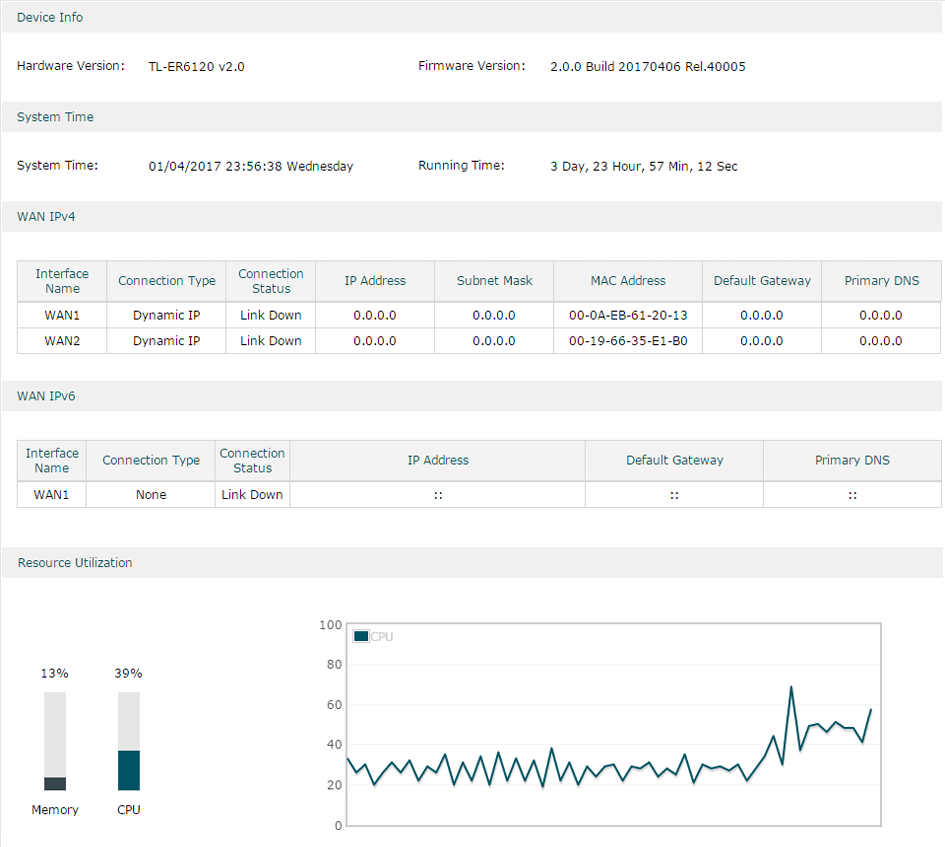
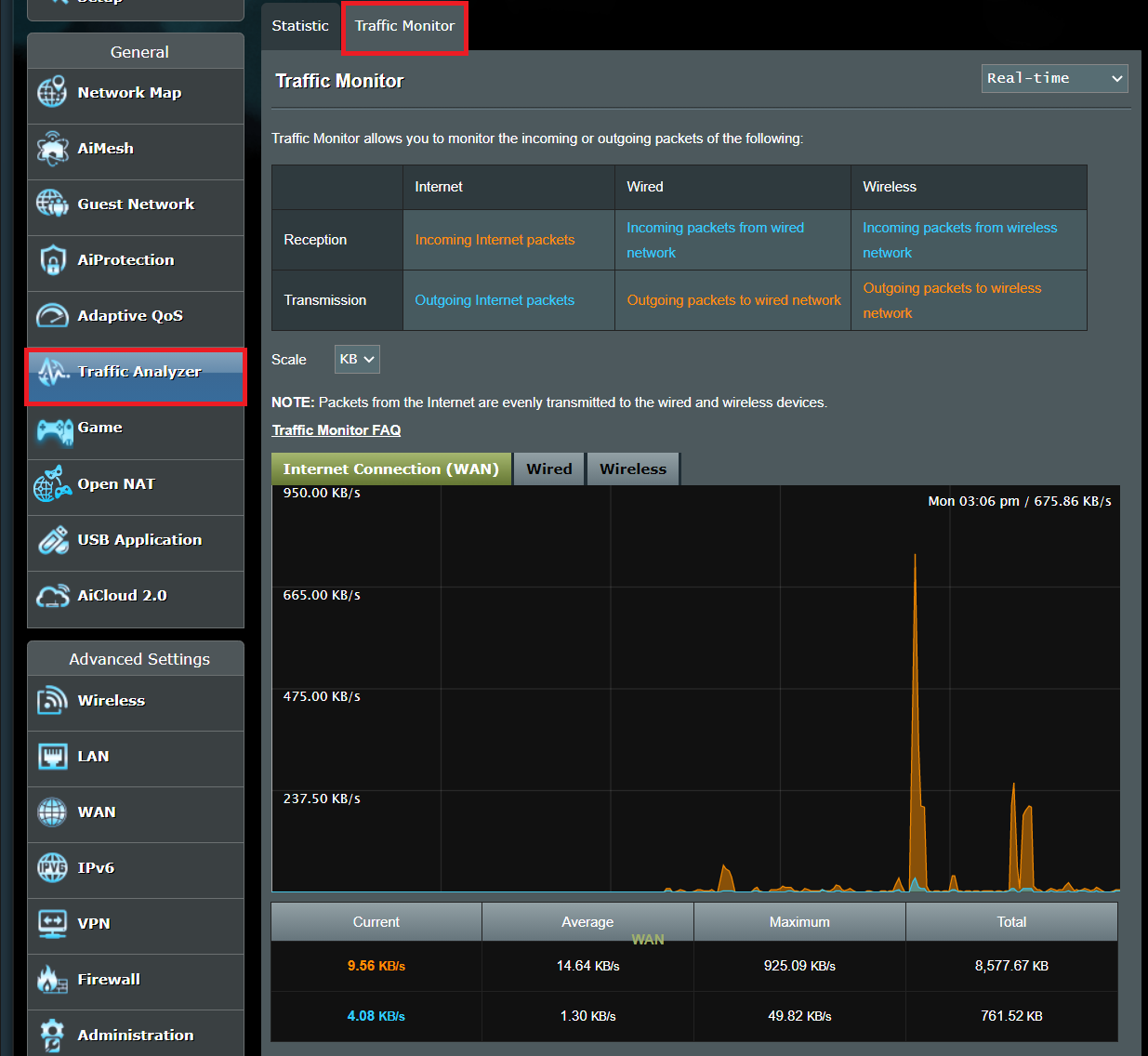
A. Check Router-Level Activity

Image

Image

Image

Image

Log into your router:

192.168.1.1 or 192.168.0.1

Check:

  • Connected devices list

  • Unknown MAC addresses

  • Bandwidth usage spikes

  • DNS settings (should not point to unknown servers)

Red flags:

  • Devices communicating at 3AM constantly

  • Unknown DNS servers

  • High outbound traffic while idle

Advanced:

  • Install Pi-hole (network-level DNS logging)

  • Use OpenWRT/DD-WRT firmware for traffic inspection


2️⃣ OS-Level Permission Audit

Windows

Check:

  • Settings → Privacy & Security → App permissions

  • Background apps

  • Startup programs (Task Manager → Startup tab)

Advanced:

  • netstat -ano

  • Windows Defender offline scan

  • Event Viewer logs

macOS

System Settings → Privacy & Security:

  • Full Disk Access

  • Screen Recording

  • Accessibility

  • Microphone & Camera

Then check:

Activity Monitor → Network tab

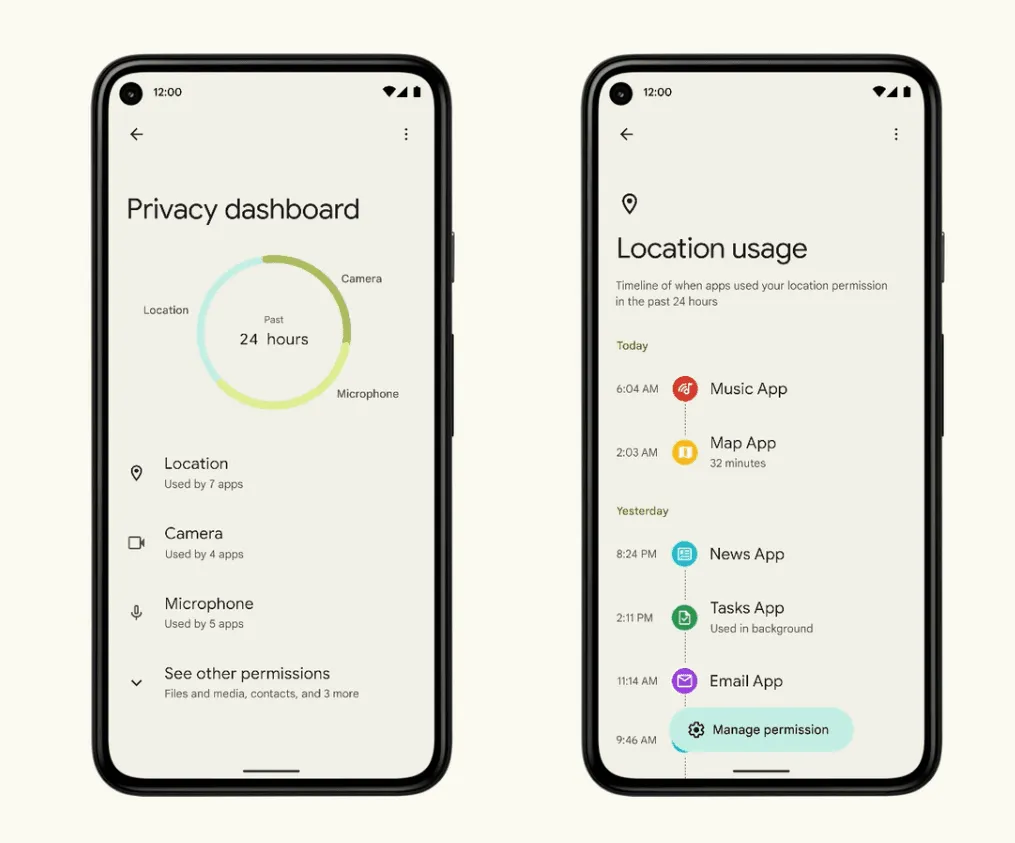
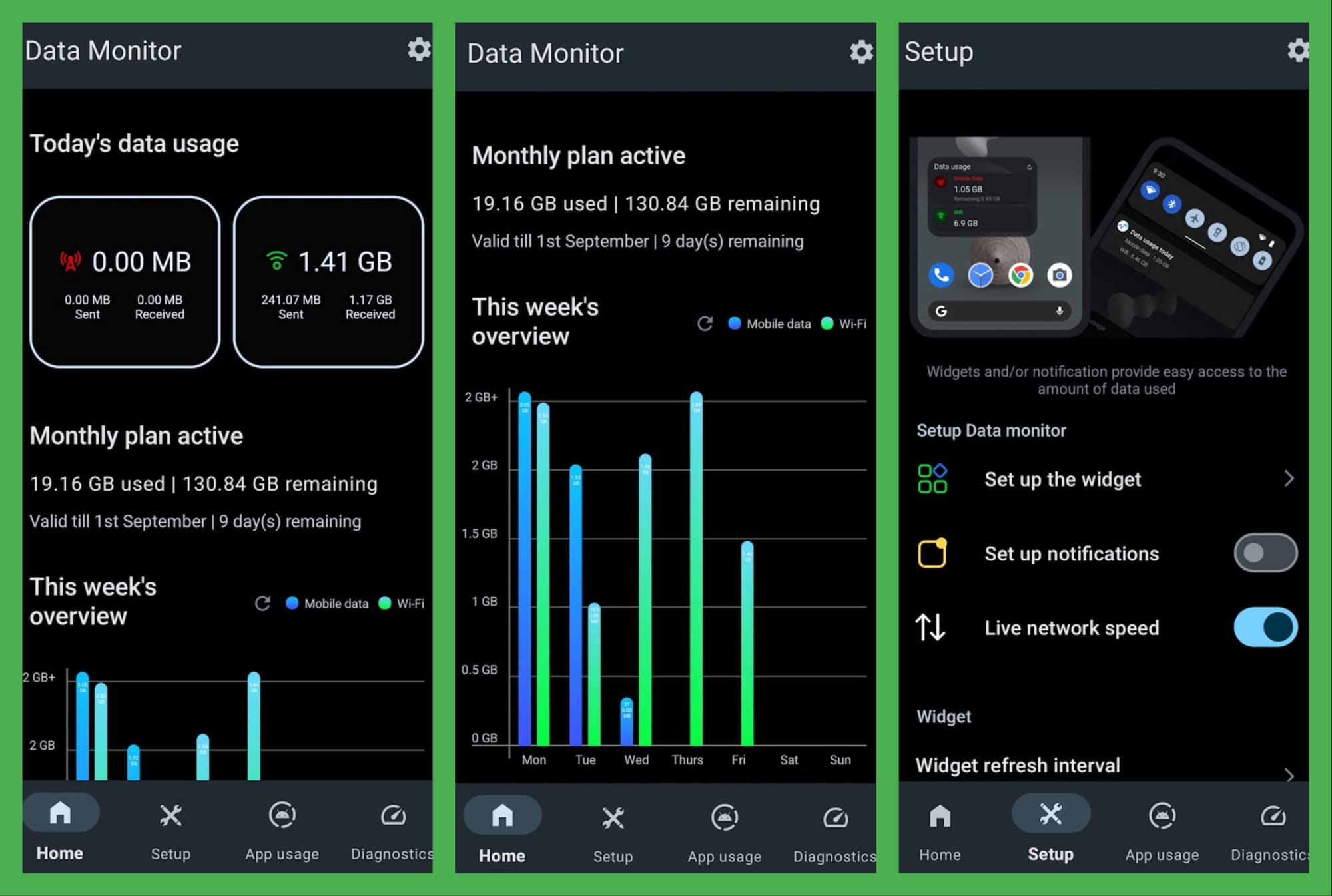
Android

Image

Image

Image

Image

Settings → Privacy → Permission Manager

Check:

  • Apps with camera/mic access

  • Apps with “Special App Access”

  • Background data usage

  • Unknown sideloaded apps

iPhone

Settings → Privacy & Security → App Privacy Report

Check:

  • Frequency of mic/camera access

  • Domains contacted by apps


3️⃣ Installed Software & Firmware Audit

On Laptops

  • Remove unused software

  • Verify software publisher

  • Check digital signatures

  • Ensure BIOS/UEFI is updated from official site only

Check for:

  • Unknown browser extensions

  • VPNs you didn’t install

  • Remote desktop tools

  • Crypto miners

Browser:

chrome://extensions

4️⃣ Account-Level Audit (Often Overlooked)

Most tracking happens at account level, not device level.

Google Account

  • Security Activity

  • Devices logged in

  • Third-party apps with access

  • Ad personalization settings

Apple ID

  • Devices list

  • iCloud data access

  • App-specific passwords

Microsoft Account

  • Recent activity

  • Authorized apps

  • Recovery email changes


5️⃣ Hardware-Level Audit

More advanced but useful:

  • Check for unknown USB devices

  • Disable unused ports in BIOS

  • Disable boot from USB if unnecessary

  • Inspect webcam LED behavior

  • Use a physical camera cover

For SSD:

  • Use SMART monitoring tools

  • Check abnormal write patterns


6️⃣ Network Monitoring Tools (Advanced Layer)

If you want deeper inspection:

  • Wireshark (packet capture)

  • GlassWire (Windows traffic monitor)

  • Little Snitch (Mac outbound connection monitor)

  • NetGuard (Android firewall)

  • Pi-hole (DNS filtering)

These let you see:

  • Which apps contact which domains

  • Frequency of connections

  • Suspicious recurring patterns


7️⃣ How to Detect More Serious Compromise

Signs:

  • CPU high when idle

  • Battery draining fast

  • Unknown admin accounts

  • Antivirus disabled

  • Browser redirects

  • Unknown root certificates installed

If suspected:

  • Backup important data

  • Full OS reinstall

  • Reset router

  • Change passwords from clean device

  • Enable 2FA everywhere


8️⃣ Reality Check

For most users, risk is:

  • Phishing

  • Malicious apps

  • Data broker tracking

  • Ad tracking

Rarely:

  • Firmware-level spyware

  • Nation-state rootkits

Unless:

  • You are politically sensitive

  • Handling high-value IP

  • High net worth target


9️⃣ Minimal Practical Audit Routine (Monthly)

Here’s a clean repeatable routine:

  • Check router device list

  • Review app permissions

  • Remove unused apps

  • Update OS

  • Check account logins

  • Review browser extensions

  • Run malware scan

  • Review DNS settings

Total time: 30–45 minutes.


For You Specifically

Since you:

  • Work in education

  • Teach tech

  • Likely use multiple student-facing tools

  • May handle student data

Your highest risk area is:

  • Phishing

  • Credential reuse

  • Browser extension leakage

  • Compromised student project uploads

If you'd like, I can create:

  • A classroom-ready "Device Security Audit Lab" module

  • Or a more advanced forensic-level audit framework

Which depth do you want — practical user level or cybersecurity teaching level?